About
Contact page with some tips.

Something personal
Started taking photographs in 1958 when I was about 18 years old with a gift camera, an Agfa Click. A few years later I began with developing films in our basement. Bought an old 6x9 folding camera and an even older 9x12 cm camera with glass plates. An Opemus enlarger was added, later followed by an LPL 6x6 color enlarger in a real darkroom. Developing in the strangest soups and enlarging everything in black and white.
The number of subsequently "worn out" cameras can no longer be determined exactly, but it is considerable, even for a camera freak, from half-35 mm to 6x9!
I took photographs privately, but also for my work as a journalist, editor/editor-in-chief of trade magazines, often traveling in the Netherlands and abroad.
When the first digital cameras came onto the consumer market in 1998 I bought a Kodak DC 260 with 1.5 Mp sensor! See some technically amazing photos that came out of this camera! Click on the picture below.
Contact
In case you would like to give comments or receive information or maybe a digital copy of an original photograph, please email us and we will be happy to react. Photos made by guests are excluded.
Send a message
Your name
Email address
To photographer
Message
A site that has been around for many years with lots of serious tests and information about cameras and lenses.
Also a site with many (good) tests of cameras and lenses.
Since the mobile phone is being used more and more for photography, it is good to report here about the site Gsmarena.com. A useful site on which you cannot only compare phones as a telephone, but also on the basis of detailed photos.
In addition, this site also offers extensive reviews.
Interesting sites for photographers
In 2000 with Kodak DC260, 1,5 Mp!
BACK-TO-BASICS!
In 2005, during the years that I lived and worked in Kyrgyzstan, Central Asia, I stopped carrying around heavy camera gear. Bought my first compact Panasonic superzoom which I liked so much that I always used a superzoom in addition to some other cameras until 2024.
Then, by age in The Netherlands, I choose to go (a bit) back-to-basics after reading the book “The little camera that could” written bij Thomas Stirr (smallsensorphotography.com).
Now I am still using the very small, but very good Nikon 1 J5 cameras with some lenses from the (unfortunately in 2018 discontinued) Nikon 1 series. And also of course more and more I use my mobile phone too!
Photo scan tip
Create an (auto)biographical (photo)book!
Many of us want/need to scan old photos occasionally and you want to do so with good quality. I have been using the universal scanning program Vuescan for almost 20 years on my Mac's!
Of course I changed scanners several times during that period, but I was always able to continue using a version of Vuescan, even on all-in-one printers.
It's hard to believe, but this program Vuescan for Mac, Windows and Linux now supports more than 7,000 scanners of 42 brands, according to the Vuescan people. You can make quality scans of documents, photos, negatives and slides with it, depending on the technical capabilities of your scanner. In various resolutions, with corrections, etc.
You can try the program for free with your own scanner or scanner/printer. Nearly a million users preceded you, including well-known large companies and government agencies, according to the developers of Vuescan.
Ben B.
Photo editing tips
In case you want to do a little more than taking snapshots, you will also like to easily be able to adjust the photos you have taken.
There are many programs out there that you can use to do that. Just to name a few for Mac and (not always) for Windows:
- ACDSee (incl. image-management)
- Adobe with several programs like Lightroom, Photoshop, Photoshop Elements & Bridge (image-management)
- Affinity Photo
- Apple Photos (incl. image-management)
- Luminar Neo (incl. image-management)
- NX Studio (free for everyone, but especially for Nikon camera NEF files) incl. image management
- Photomator, works good with Apple Photos
- Pixelmator Pro for Mac
- XnView MP (incl. image-management), freeware for private users.
More and more AI has consequences!
The use of artificial intelligence in photo editing programs can be a blessing (although not everyone is happy with that), but can ask for a lot more power in your computer, even can force you to buy a new computer …..
Personal choice!
The choice of a photo editor app is personal. While one can work fine with a certain program, another one could hate it. It depends on what you want to achieve and with what effort.
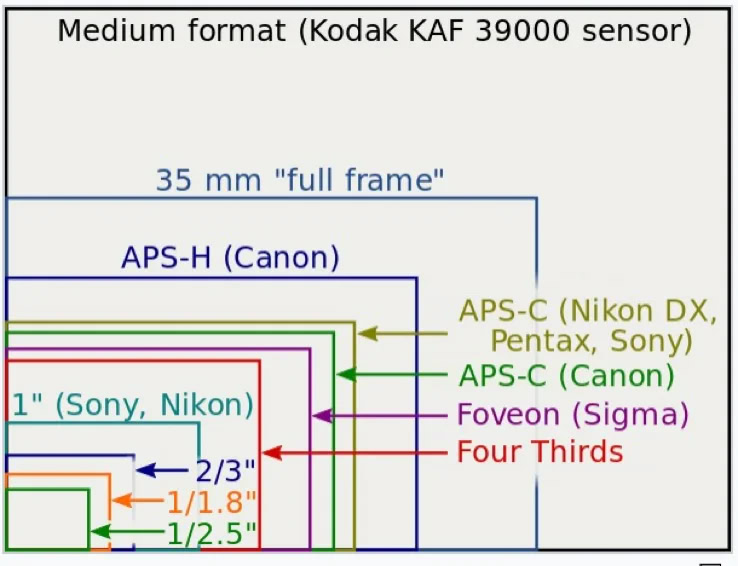
Something about camera sensors
Here you will find an image showing the relative difference between some sensor sizes in cameras which is admittedly a bit outdated, but is still correct for the smaller formats.
Picture is not to real scale, but just to compare!
For real Mac fans there is a combination possible: Apple Photos with Photomator (now, together with Pixelmator Pro owned by Apple).
Personally I do not use Apple Photos for my photo library, because in this program I consider it is not easy to find out where your photo files are physically stored and to handle them for backup etc. in your own way.
My choice: simplicity, speed and … quality!
On my iMacs I prefer a normal, own folder structure from which you can directly manage, adjust and save photos with a photo editor.
Having worked for decades with various photo editing programs I now enjoy working with the Nikon program for photo-editing including photo management, NX Studio (because I am using Nikon cameras with NEF files). Sometimes an external editor for special things. To reduce the size of big photo files for the web I prefer Caesium Image Compressor.
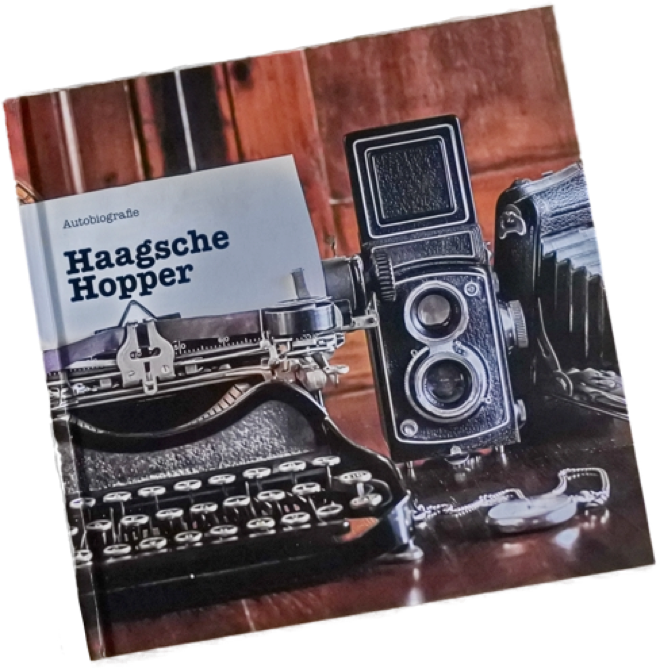
Many years ago I was asked to assist in the creation of a life story and ultimately produce it as a book. That was such a fascinating experience that it later led me to write such books myself for my children, grandchildren, family and friends.
Why wouldn't you, as a photographer, do something similar and write a real autobiography based on your own photos? Can you imagine a more sensible way to spend it?
Unsplash.com offers free (!) photos
Millions (!) of free images of all kinds can be found on the website Unsplash.com.
A unique site where licensed images may be used free of charge for non-commercial and even commercial purposes.
This thanks to generous contributions from many photographers worldwide. An initiative that I am happy to participate in.
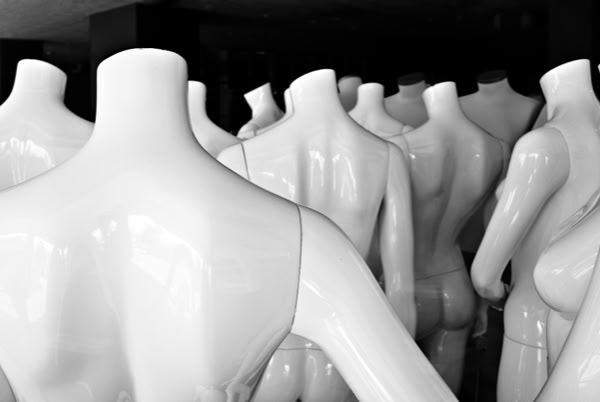
It is of course also nice to see that my photos on Unsplash.com scored no less than 5 million views around the world and even one of them (mannequins in B/W) has been downloaded more than 7.500 times.